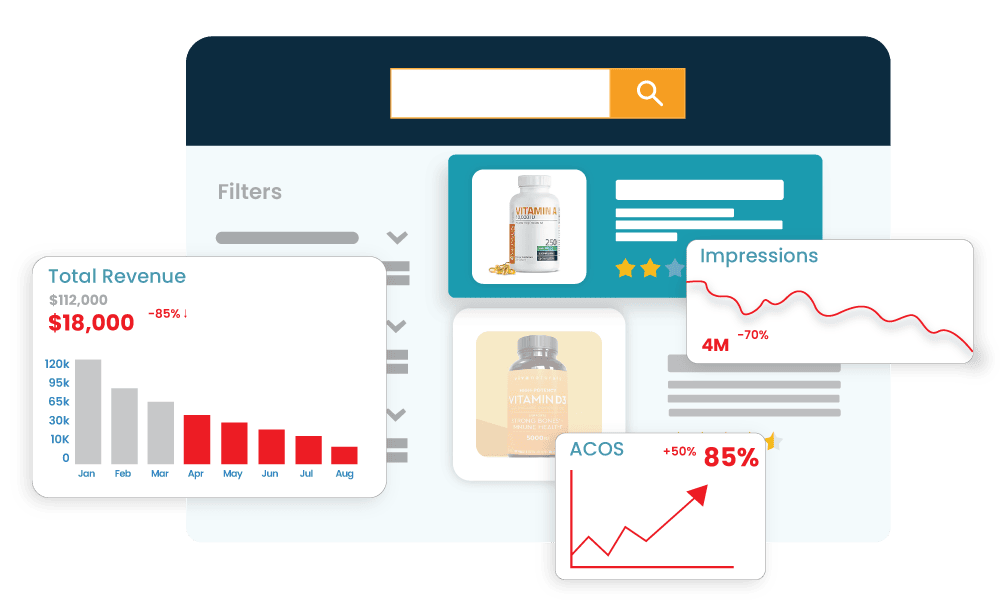

Amazon ad is a great place to bring a shopper to your product page.
However, even after getting those clicks, your sales remain low, and that is due to a vague product detail page. The ads may bring you the right audience, but the right audience will make a move only when they find something valuable or worth buying on the listing page.
Vague title, incomplete information, and irrelevant images can impact the overall results. And that’s where the Product Detail Page (PDP) optimisation becomes important.
In this Amazon PDP optimisation guide, we will learn how to make your PDP stronger so that your clicks get converted into potential sales.
The Importance of a Product Detail Page
A Product Detail Page (PDP) is basically a page that opens when shoppers click on a product on Amazon, and it tells the buyer about the product. Generally, these pages contain information such as the product title, images, bullet points, description, pricing, reviews, and other important details.
A Product Detail Page is quite important for your Amazon Ads. It assist buyer in deciding whether the product is as per their needs or not. Let’s understand its importance with an example.
Suppose a person was searching for a stainless-steel bottle and discovered your listing. The person clicks and finds that the bottle image is not clear, and the information about the product is also limited. So the person moved to another listing that clearly shows the bottle from a different angle and explains all its key features.
Although the product is the same and matches the buying intent, the second description made the person buy.
6 Elements That Make Amazon PDP Highly Converting
When optimising a product page, you need to be very careful. The buyer decides whether the product suits their needs or not in seconds, just by seeing the PDP. So the right optimisation is important, and the elements below will help you in doing so.
1. Make Your Title Speak for Your Product
The title is the first and most important thing that a person sees after clicking on the ad. It introduces your product to the shoppers. So it should have information like brand name, product type, size, colour, material, product USP, etc.
Also, it should be short and easy to read for better understanding. Generally, a length of 60 characters is considered ideal for PDP titles.
Still confused? Here is an example to help you out. Let us suppose you are selling a coffee maker; then the title should not be like “Coffee Maker” but like the “BrewPro 12-Cup Coffee Maker with Programmable Timer”
2. Let Your Images Do Some Selling
A shopper cannot pick up an Amazon product, turn it around, check its size, or see how it works in person. Your images need to fill that gap.
Use the main image to make the product immediately clear. Ensure that your PDP has some additional images so a person can see the product from different angles and analyse its importance features such as size and colour.
Remember, when a person reads the product description, many questions arise in mind, and your images answer these questions. So go for high-quality and clear images.

3. Your PDP Should Have Bullets
If your PDP has big and complex paragraphs, it ends up confusing the reader. Thus, adding information in bullets becomes important. Amazon recommends including at least three concise bullet points.
When writing bullets, ensure:
- Bullet points should not read like a technical manual.
- Simple and creative language should be used.
- They should answer questions such as: What does this product do? What is included? Who is it for? How big is it? What makes it useful?
- The bullets should have useful information such as features, uses, dimensions, contents, size, etc.
4. Give the Product Description a Purpose
PDP optimisation is not only about the title, images and bullets; your description also plays a role. It should tell the product story, how it can help the customers, and reasons for choosing it instead of other options.
Your description should not have the same things you already talked about. It should offer something unique and valuable to the customer.
Like, if you are selling a coffee maker, the description is the place where you can add that “You can get a cafe-style coffee taste at your home within 5 minutes”.
5. Use Search Terms Without Stuffing Them
A product cannot convert shoppers it never reaches. Relevant search terms help Amazon connect your listing with searches related to your product. These can include words linked to features, materials, size, use, or product type.
Advertising data can also help here. Even the platform recommends using search term reports throughout the PDP content in areas such as the title, bullet points, and description.
However, adding the terms does not mean making the entire content vague and awkward. The placement should be natural and should add value to the content.
6. Use A+ Content to Add More Depth
When it comes to PDP, overall content plays an important role. With bullets and a good title, the content depth also matters. Here are the elements that make content A+:
- Enhanced images and comparison charts.
- Brand stories and valuable product information.
- Reviews and pricing data.
A+ Content can help answer customer questions, potentially reducing returns and negative feedback. With Amazon A+ content, the conversion rate is generally higher as it provide wider shopping experience and makes your product trustworthy in front of shoppers.
Quick Checks Before Sending Paid Traffic to Your PDP
Before increasing your ad spend, ensure that your PDP has the quality to convert the audience. Here is the Amazon listing audit checklist that can help you in creating effective PDP:
- Clear, relevant, and easy-to-scan title.
- Clear images that show the product, features, size, and use.
- Bullet points explaining the product benefits and features.
- Relevant search and keywords added naturally
- Reviews that provide social proof and build shopper confidence.
- The PDP messaging and ad content should be aligned.
- Improve Amazon product listing CTR that does not sound salesy.
Make Every Amazon Click Count
Amazon advertising and PDP optimisation need to work together to deliver the best results. Your ads may bring you an audience, but the conversion depends on your listing. Therefore, you need a sharper strategy that makes both your ad and listing stand out.
Being an experienced Amazon listing optimisation agency in the UK, Lezzat combines listing optimisation with Amazon SEO, creative, A+ Content, and advertising support. We help brands make more from every opportunity.